In 1:1 direct mode, the NISH client connects directly to a single SR OS node and operates the MD-CLI from a local Linux workstation.
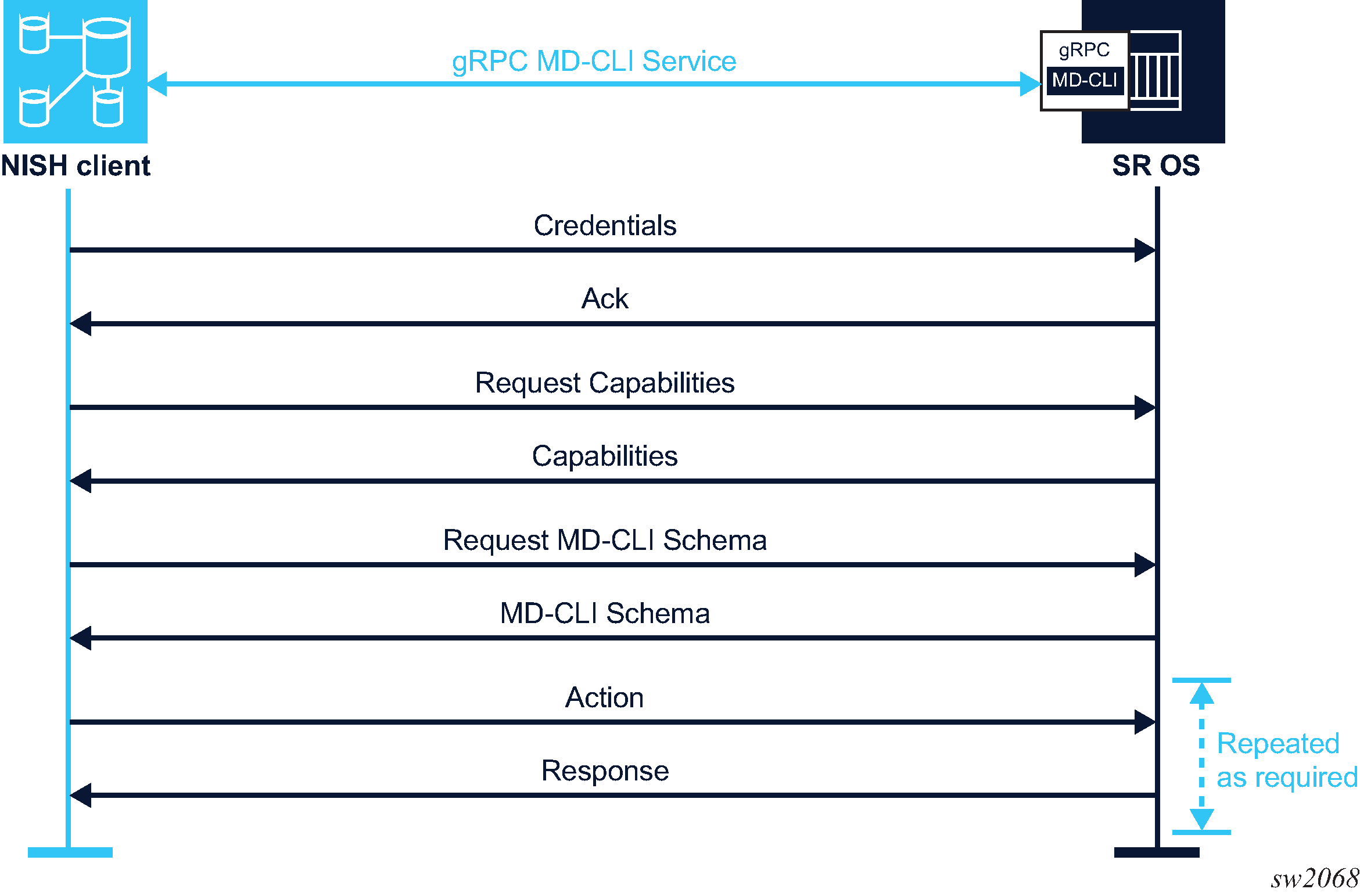
The following figure shows the communication for 1:1 direct mode.
Prerequisites
Review the following requirements before using the NISH client in 1:1 direct mode:
-
Ensure that you have permission to access the gRPC interface and the MD-CLI gRPC service of the target node.
-
The nish command can be issued from the command line, providing a username, hostname (or IP address), and port number of the target SR OS node. Alternatively, the hostname and the port number can be defined using environment variables or in a NISH rc file. In this case, the nish command can be entered without these arguments. See NISH rc files for more information about configuring rc files.
Note: The arguments defined in environment variables or in the NISH rc file must be supported in the current mode of operation. If arguments for another mode of operation are defined, the NISH client fails and returns an error.
To use the NISH client in 1:1 direct mode, perform the following steps: