The MLFR feature introduces the following new QoS requirements on the XM or MDA:
Four XMA or MDA queues are provided per MLFR bundle to store the fragments of the FR SAP packets; one queue per FR scheduling class. Fragments of all FR SAPs of a specific scheduling class are queued in the same queue.
The fragments of an FR SAP packet must be queued in the same XMA or MDA queue regardless of which forwarding class queue they use in the IOM.
The FR class queue parameters and its scheduling parameters are configured by applying an Egress QoS profile to an MLFR bundle.
Table 1 and Figure 1 describe the class queue threshold parameters. Packets that are marked with high drop precedence, for example, out-of-profile, by the service or network ingress QoS policy are discarded when any class queue reaches the OOP threshold. Packets with a low drop precedence marking, for example, in-profile, are discarded when any class queue reaches the max threshold. Only the max threshold is user configurable and is referred to as max-queue-size in the CLI. The OOP threshold is always set to 50% of the max threshold.
| Class 0 | Class 1 | Class 2 | Class 3 | |||||
|---|---|---|---|---|---|---|---|---|
| Max | Oop | Max | Oop | Max | Oop | Max | Oop | |
Queue threshold (in ms@available bundle rate) |
10 |
5 |
50 |
25 |
150 |
75 |
750 |
375 |
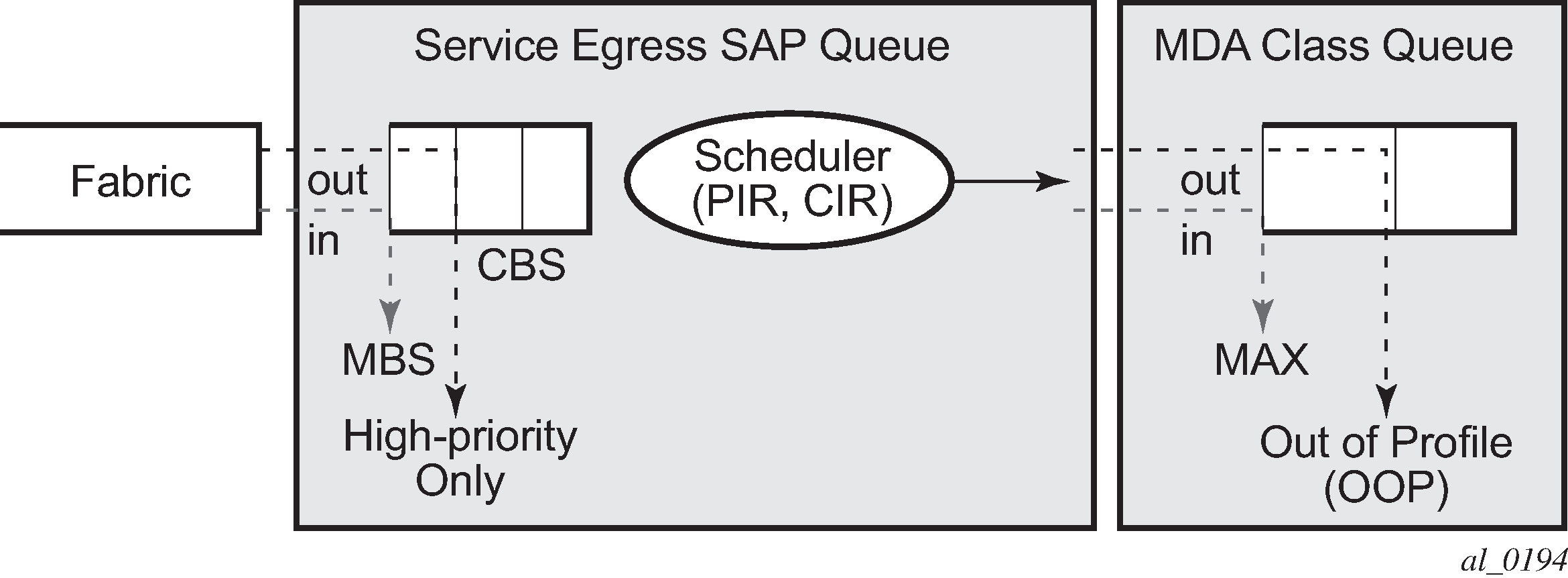
Table 2 and Figure 2 describe the class queue scheduling parameters for an MLFR bundle.
| WRR parameters | |||
|---|---|---|---|
MIR |
W1 |
W2 |
W3 |
90% |
<1% |
89% |
10% |
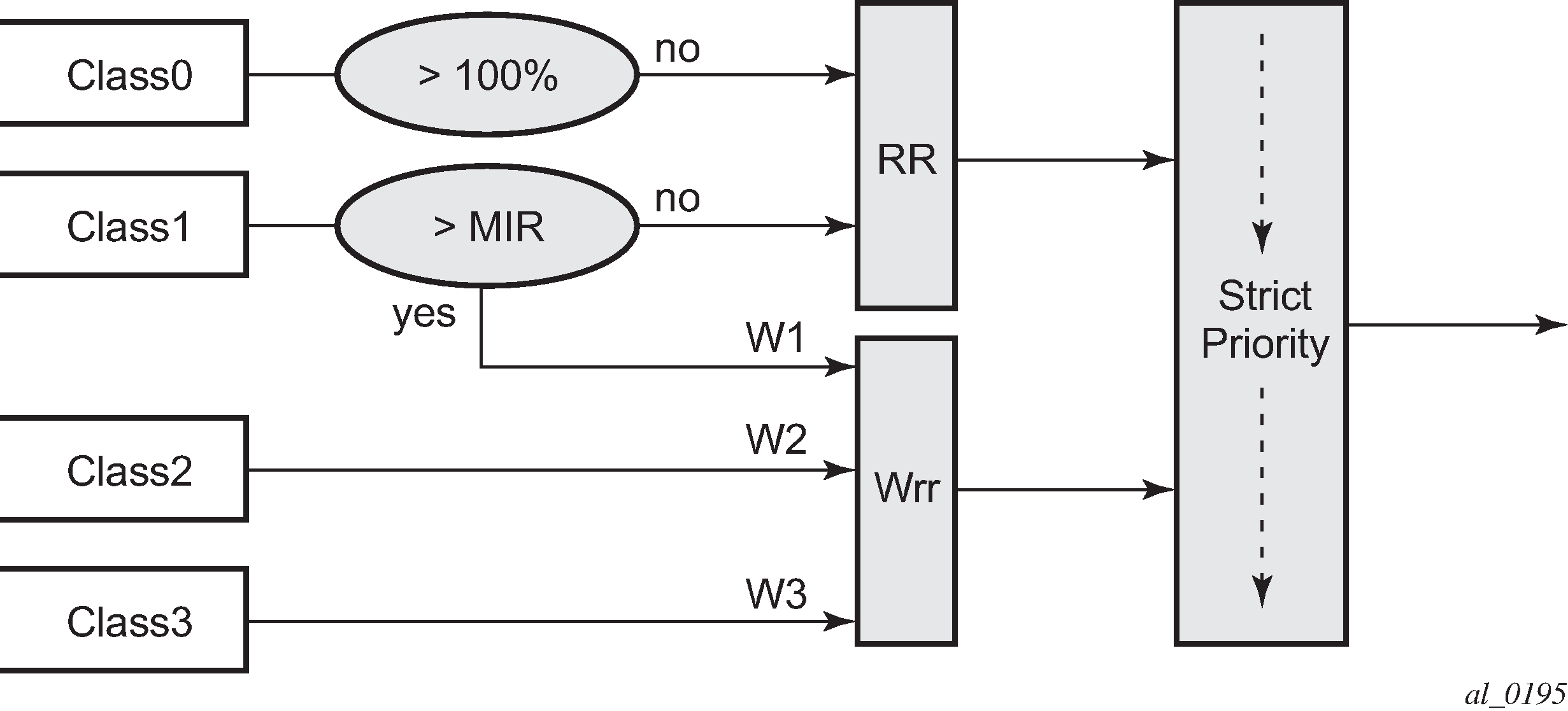
The minimum information rate, referred to as MIR in Figure 2 and MIR in CLI, applies to Class 1 queues only. The MIR parameter value is entered as a percentage of the available bundle rate. The WRR weight, referred to as W1, W2, and W3 in Table 2 and weight in CLI, applies to class 1, class 2, and class 3 queues. W1 is not configurable and is internally set to a value of 1 such that Class 1 queue shares 1% of the available bundle rate when the sum of W1, W2, and W3 equals 100. W2 and W3 weights are integer values and are user configurable such that Class 2 queue shares W2/(W1+W2+W3) and Class 3 queue shares W3/(W1+W2+W3) of the available bundle rate.
All queue threshold and queue scheduling parameters are adjusted to the available bundle rate. If a member link goes down or a new member link is added to the bundle, the scheduling parameters MIR, W1, W2, W3, as well as the per class queue thresholds OOP and max are automatically adjusted to maintain the same values.
In addition, the user can configure the value of the FR scheduling class ingress reassembly timeout for an MLFR bundle. The default values of the timers are shown in Table 3.
| Class 0 | Class 1 | Class 2 | Class 3 |
|---|---|---|---|
10 |
10 |
100 |
100 |
-
A change of the numbered ingress or egress QoS profile requires the bundles or links associated with a QoS profile to be shutdown to take effect.
-
Changes of parameters in the currently assigned ingress and egress QoS profiles can be made without shutting down the associated bundles or links.